
Priority To
The information on this page relates to the new upgraded interface of the IConduct platform. To view information about the Classic version of the user interface, follow this link.
The Priority To algorithm is used to convert the DateTime value to the number of minutes elapsed since 1 Jan 1988. This format is sometimes used in some ERP systems.
The table below provides some examples of this date format conversion.
| Source Column | Target Column |
|---|---|
| 10/08/2019 17:03 | 16709163 |
| 09/07/2018 17:03 | 16664523 |
To configure this manipulate step, follow the instructions below:
- In the specific Interface work area, press the downward button next to the task and press the ‘+’ (plus sign) button.
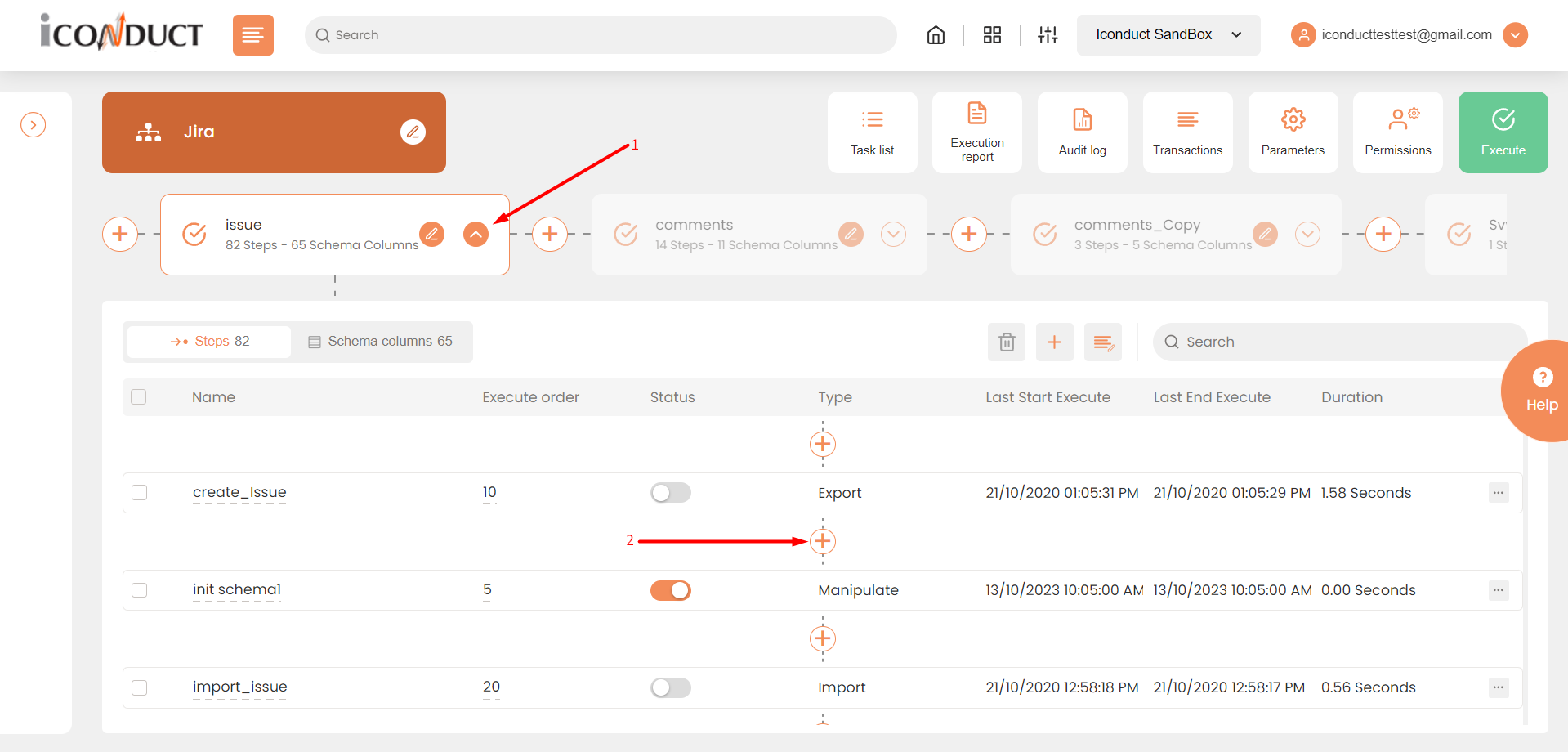
Creating a New Step
- Select Create manipulation step.
- Navigate to the Dates section and select Priority To.
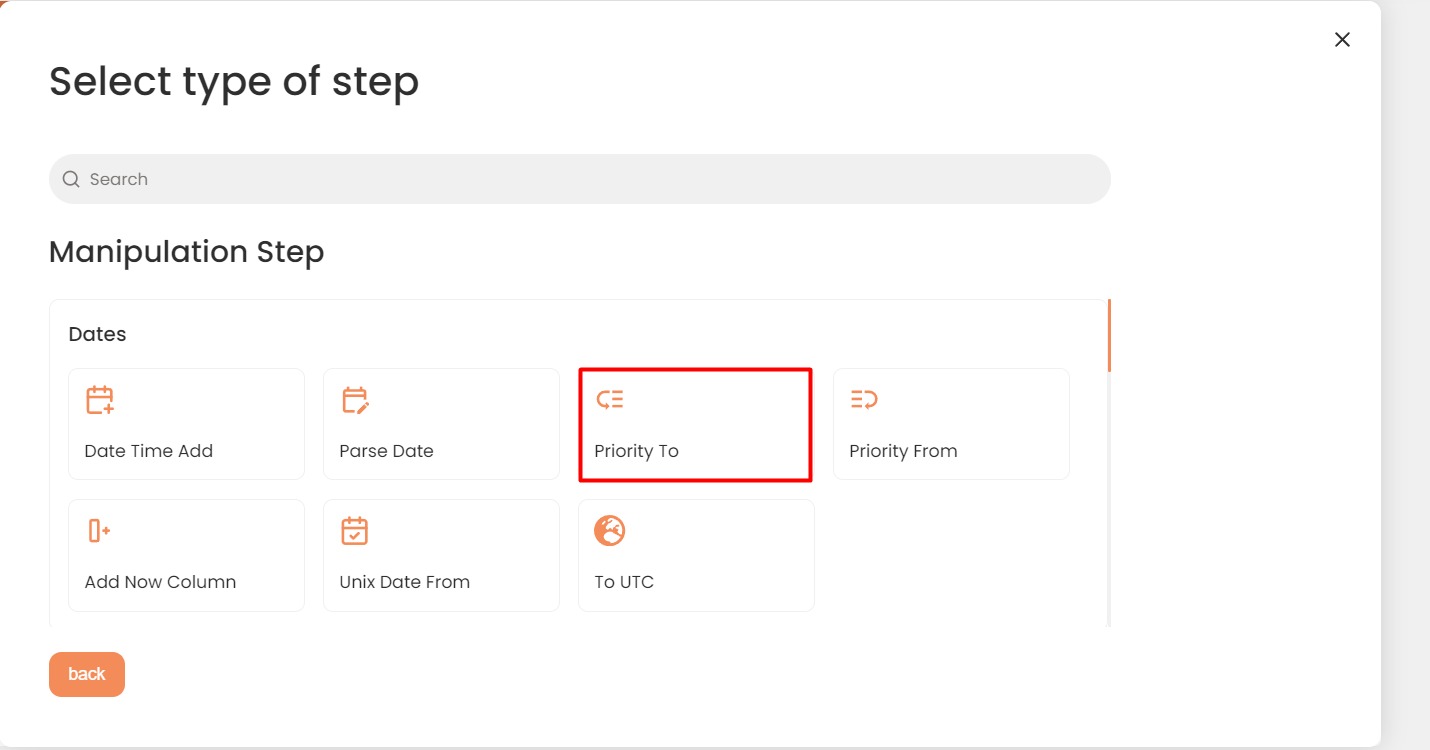
Dates Section
- In the Convert To Priority Date Format work area, fill in the following fields:
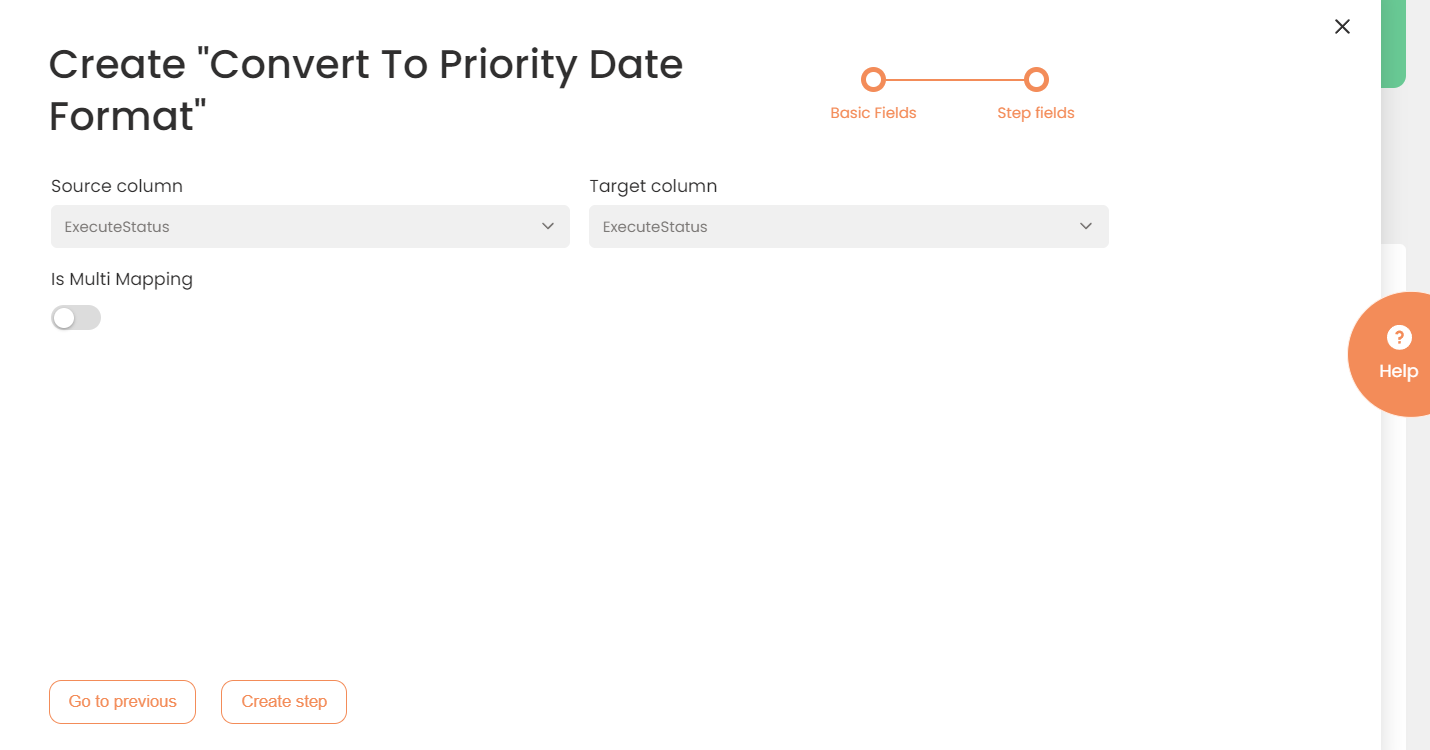
| Fields | Description |
|---|---|
|
Name of step |
Provide a distinctive name for this step. |
|
Filter Expression |
Optional. Use this filed to filter data from the source database prior to inserting it into the Schema table. |
|
Sort Expression |
Optional. Use this field to sort data from the source database prior to inserting it into the Schema table. |
|
Audit notes |
Leave notes about the step if needed. This field may contain any information, such as the purpose of the step, further actions that must be taken etc. for you to work with the step in the future or to inform team members about your intent. |
|
Order of Execution |
Enter the order in which this step should be executed. |
|
Is Active |
Activate the switch to engage the scheduler for this step. |
|
Stop interface execution if query failed |
Optional. If enabled, the system will stop any data manipulation if the query returns an error. |
|
Save Schema (enabled per interface) |
If selected, the schema is created for this step. |
|
Source Column |
Select the column where you will retrieve the data source. |
|
Target Column |
Select the column where you will insert the converted data. |
| Is Multi Mapping | Enable to hold the mapping for multiple schema rows. You can indicate the rows in the mappings section that appears after saving the step. |
- Click the Creaete step button.