
Stop Interface
The information on this page relates to the new upgraded interface of the IConduct platform. To view information about the Classic version of the user interface, follow this link.
The Stop Interface algorithm allows you to stop the interface execution by comparing the query result with a predefined value.
The table below illustrates the example of this algorithm:
| Query Example | Compared Value | Result |
|---|---|---|
|
SELECT 'Users' FROM SCHEMA WHERE ISActive= |
0 |
Stop the interface execution |
In the example above the system will stop the interface, if no active users could be found in the schema.
To configure this manipulate step, follow the instructions below:
- In the specific Interface work area, press the downward button next to the task and press the ‘+’ (plus sign) button.
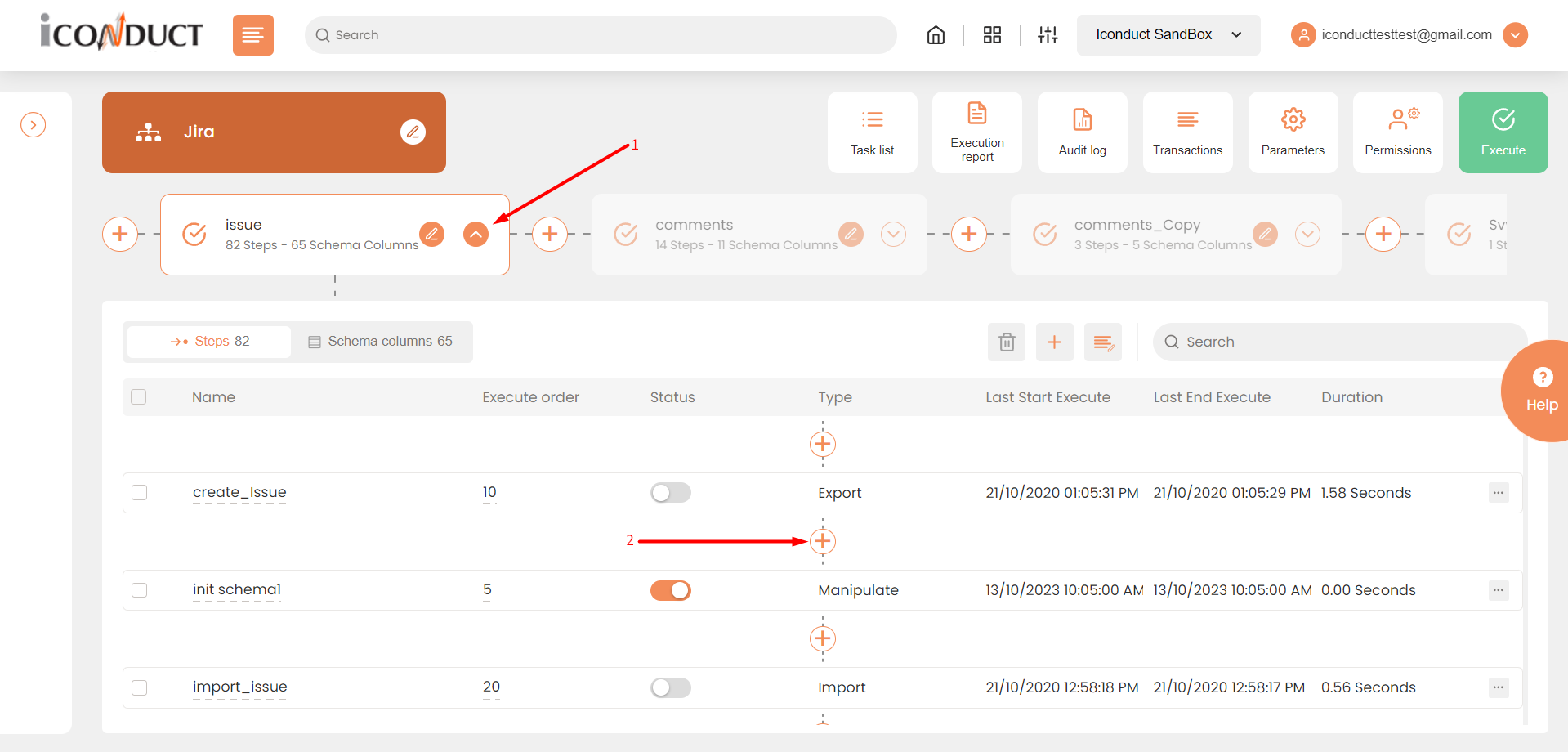
Creating a New Step
- Select Create manipulation step.
- Navigate to the Execution section and select Stop Interface.

Execution Section
- In the Stop Interface work area, fill in the following fields:
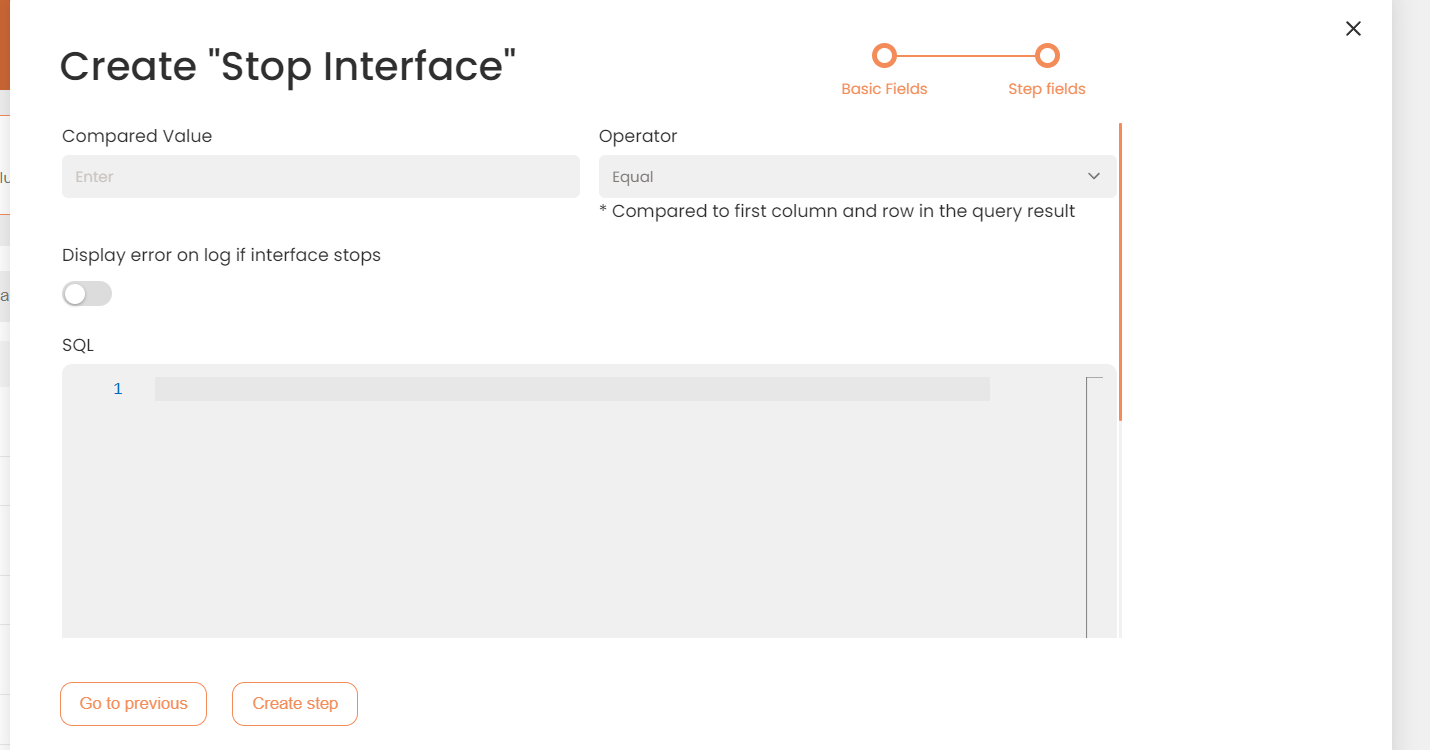
| Fields | Description |
|---|---|
|
Name of step |
Provide a distinctive name for this step. |
|
Filter Expression |
Optional. Use this filed to filter data from the source database prior to inserting it into the Schema table. |
|
Sort Expression |
Optional. Use this field to sort data from the source database prior to inserting it into the Schema table. |
|
Order of Execution |
Enter the order in which this step should be executed. |
|
Audit notes |
Leave notes about the step if needed. This field may contain any information, such as the purpose of the step, further actions that must be taken etc. for you to work with the step in the future or to inform team members about your intent. |
|
Is Active |
Activate the switch to engage the scheduler for this step. |
|
Stop interface execution if query failed |
Optional. If enabled, the system will stop any data manipulation if the query returns an error. |
|
Save Schema (enabled per interface) |
If selected, the schema is created for this step. |
|
Compared value |
The value that is compared to the query result. |
|
Operator |
Defines whether the compared value should match or should not match the query result. |
|
Display error on log if interface stops |
Display the error in the transaction log if the interface stops. |
|
SQL |
The query that will manipulate data in an existing schema. In the query result, it is the value in the first column and in the first row that will be compared to the value specified in the Compared Value field. |
- Press the Create step button.