
SMTP
The information on this page relates to the new upgraded interface of the IConduct platform. To view information about the Classic version of the user interface, follow this link.
Simple Mail Transfer Protocol (SMTP) is a protocol for sending e-mail messages between servers, as well as from a mail client to mail server.
The SMTP connector by IConduct allows users to export data onto the SMTP server.
To configure the SMTP connector, follow the instructions below:
- In the Main Menu, select Connections and press Create connection.
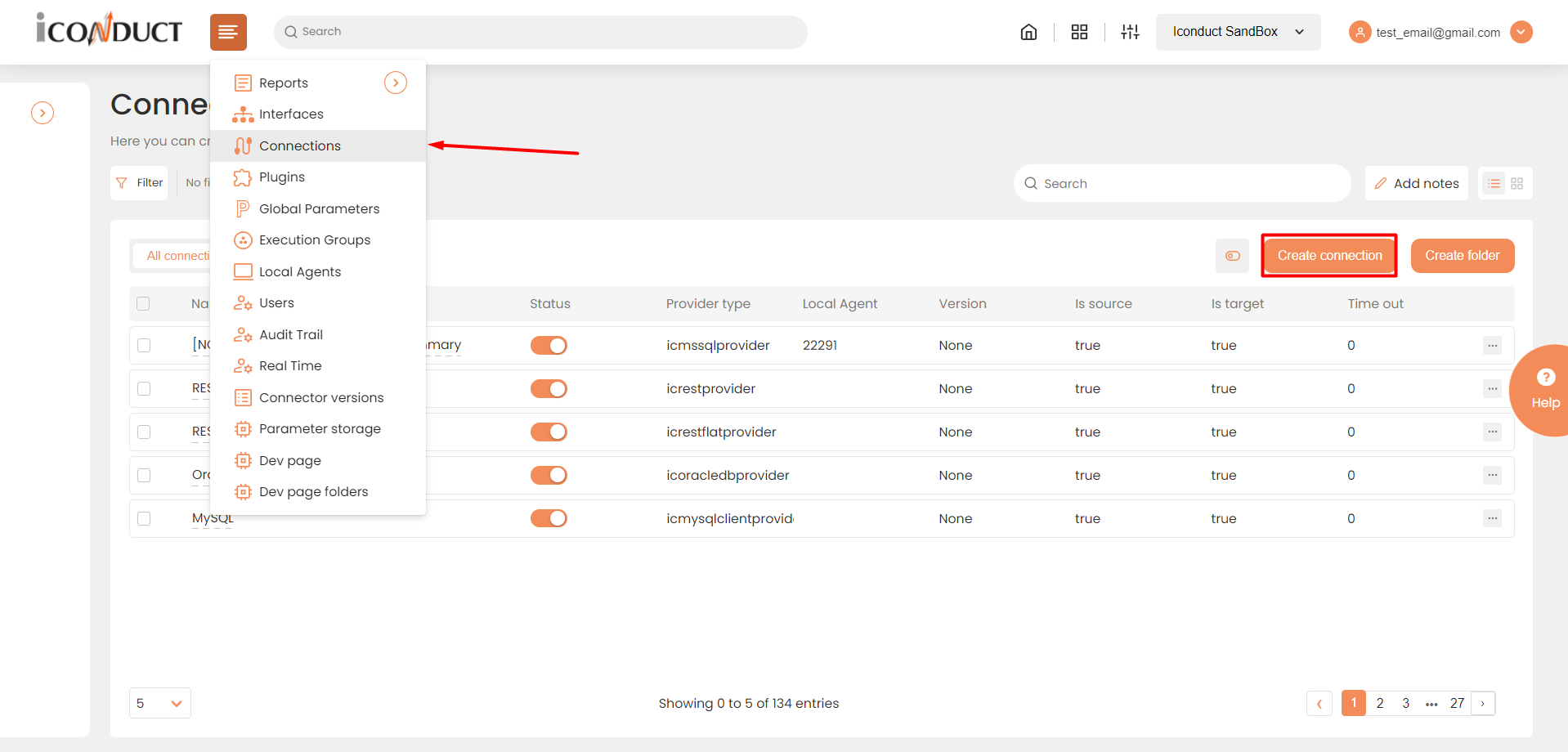
Accessing connections
- On the Connector Selection Page select the SMTP item from the EMails section.

Connector Selection Page
- In the SMTP Data Provider work area, fill in the following fields and press Create.
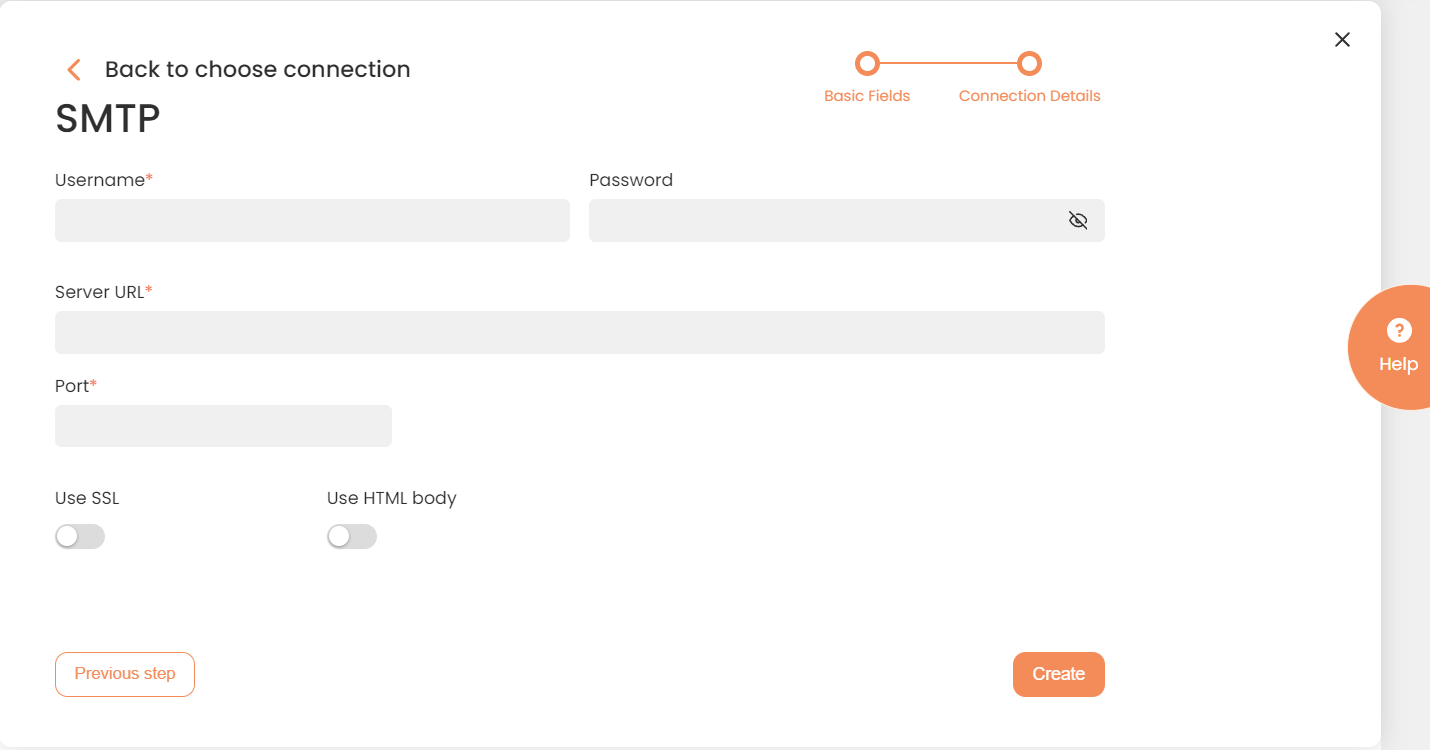
Connection Details Area
| Field | Description |
|---|---|
|
Connection* |
The new connection name. Enter a connection alias here. |
|
Is Active |
Toggles connector’s activity at interface execution. Enable the checkbox to activate the connection for execution. |
|
Cloud Agent* |
The LAN you are working with. Select "IConduct" for cloud systems and your corporate agent for internal systems. |
|
Implementation Type* |
Defines the implementation type. Select from the drop-down list:
|
|
Is Source |
Not used in this connector. |
|
Is Target |
This connection entity is available as a data target that receives data from schema to current data container. Enable the checkbox to ensure data export. |
|
Timeout |
The length of time (in milliseconds) the IConduct platform waits for a response from the connection provider before returning a timeout error. Set the time value to stop the system from connection attempts. |
|
Query |
Not used in this connector. |
|
DateTime Format |
Not used in this connector. |
|
Username* |
Credential used to access the SMTP Server. Enter a valid username. |
|
Password* |
Credential used to access the SMTP Server. Enter a valid password. |
|
Server URL* |
Your email provider's mail server. Enter a valid server link here. |
|
Port* |
The SMTP Server communication endpoints, each designated for specific processes. Common SMTP ports include:
|
|
Use SSL |
The SMTP connection via a secure certificate. If enabled, the data transmission is encrypted. |
|
Use HTML Body |
The format for rendering the email body text. If enabled, the message body will be displayed in the HTML format. Otherwise the plain text will be sent. |
*- mandatory fields
Once the connection is saved, you can test if it is successful. Press the Test Connection button. If the created connection works, you will receive a success message.

Testing the Connection